Developer servers
Keep staging, production, build, and utility servers in one Mac workspace instead of jumping between terminal windows.
Turbo SSHuttle
A technical Mac app for developers, sysadmins, and server-heavy workflows: save SSH machines, browse local and remote folders side by side, and move files without rebuilding the same terminal commands every time.
Product Hunt
Turbo SSHuttle is available on the Mac App Store and scheduled on Product Hunt for June 18, 2026. If the app fits your Mac server workflow, visit the launch page and share feedback.
 Open the Product Hunt page
Turbo SSHuttle helps you save SSH-accessible machines, browse local and remote folders side by side, and move files with drag and drop instead of rebuilding the same terminal workflow each time.
Use multiple panels, track transfer progress, confirm trusted hosts, and store passwords in macOS Keychain when needed.
Keep staging, production, build, and utility servers in one Mac workspace instead of jumping between terminal windows.
Move logs, config files, release artifacts, and folders through a visual interface while keeping the SSH workflow underneath.
Open several local and remote panels at once, refresh each panel independently, and compare paths before copying.
Use drag and drop, saved machines, Keychain password storage, trusted host handling, and visible transfer progress.
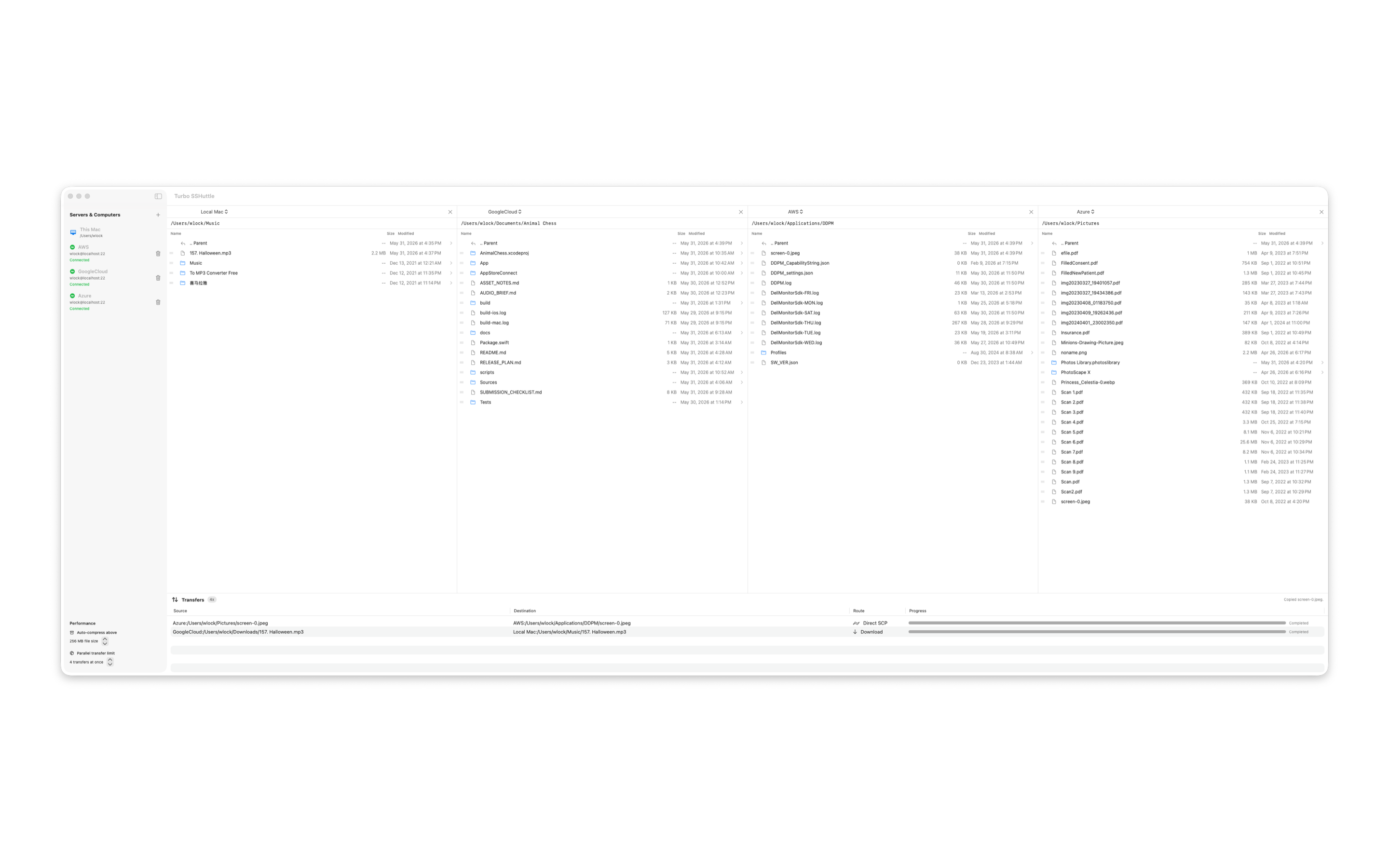
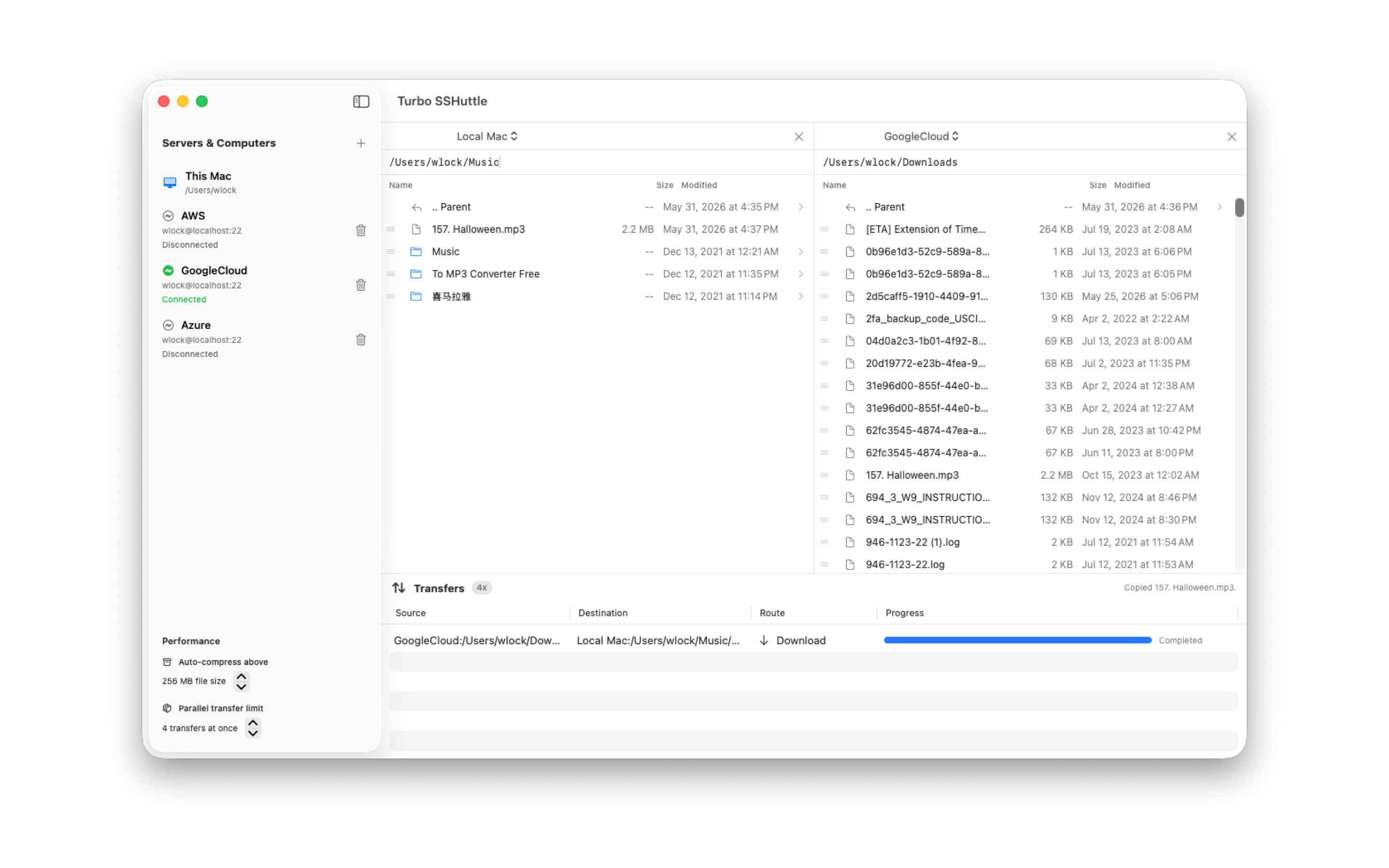
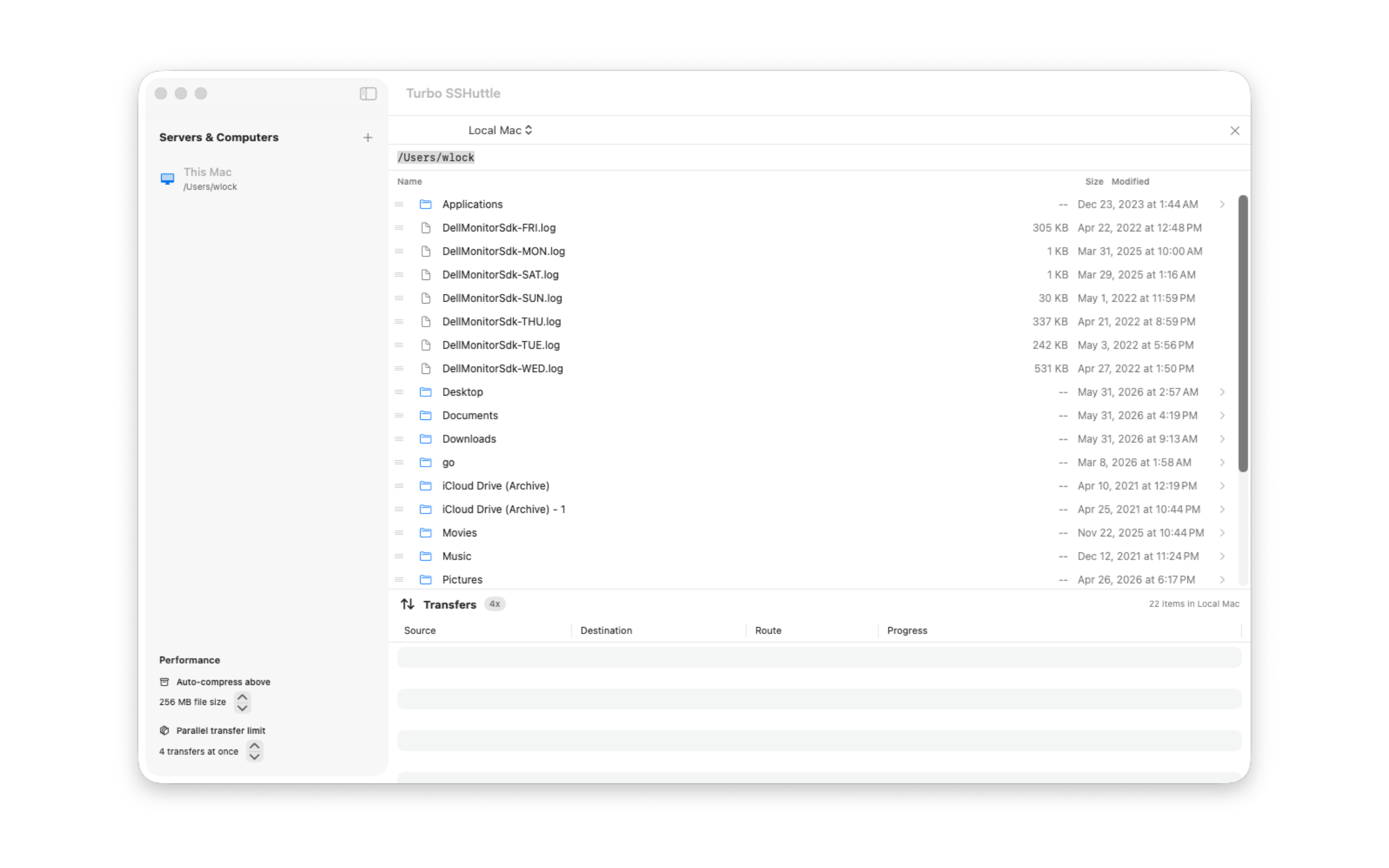
Terminal tools like ssh, scp, and rsync are powerful and still useful. Turbo SSHuttle is for the moments when you want a persistent Mac workspace: saved SSH machines, multiple visible file panels, drag-and-drop copies, and transfer progress you can watch.
Traditional file transfer apps are broad and established. Turbo SSHuttle focuses on a clean macOS desktop workflow for repeated SSH file work across multiple machines.
Turbo SSHuttle stores saved machines locally on your Mac. Passwords are stored in macOS Keychain when you choose to save them. SSH host fingerprints are shown for confirmation so trusted hosts can be remembered.
For support, bug reports, or release questions, email wlock88@icloud.com.
Please include your macOS version, Turbo SSHuttle version, and a short description of what you were trying to do.
No. Turbo SSHuttle does not require an app account or hosted service.
Saved servers and computers are stored locally on your Mac. If you choose to save a password, it is stored in macOS Keychain.
Turbo SSHuttle uses standard SSH encryption. France is excluded from distribution for the initial App Store release.
Drag files between file explorer panels. Turbo SSHuttle handles the route automatically, including local-to-remote and remote-to-remote transfers.